Dead Space
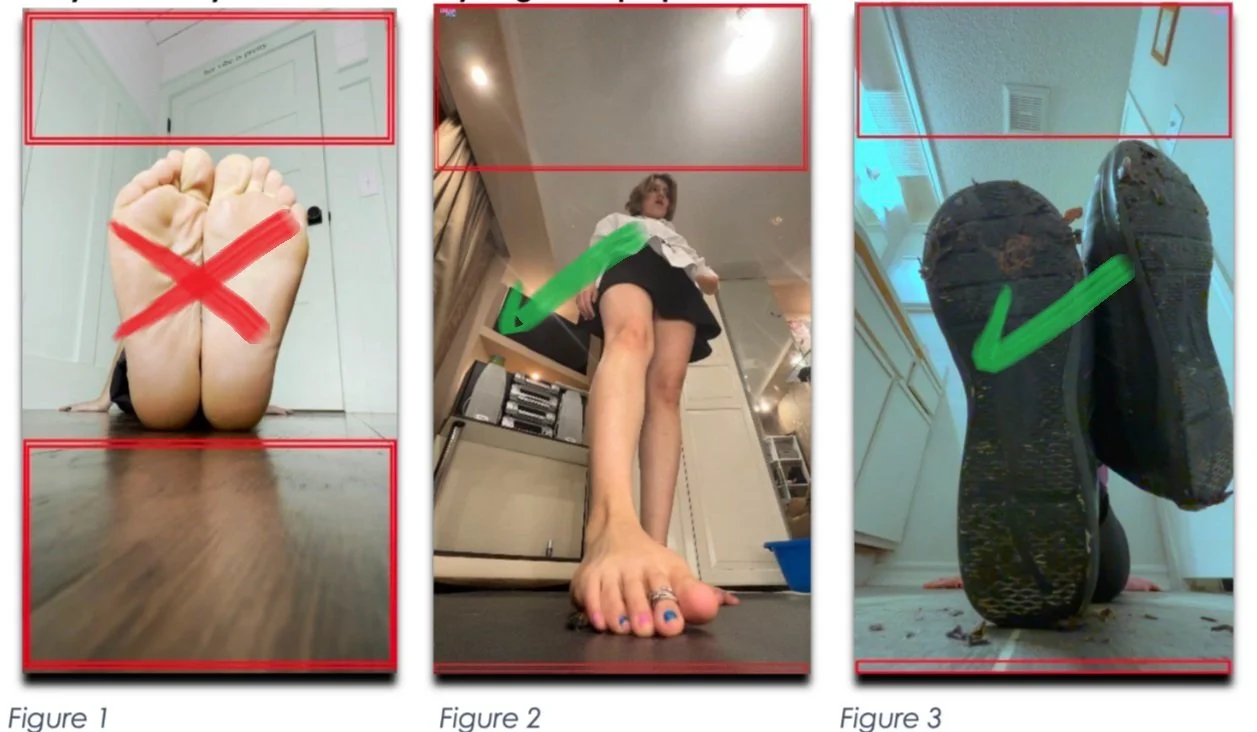
Dead space is unused space on camera. It can be extra floor that isn’t being used or space above your head. Not all dead
space is bad, but it should be minimized. You can see below on Fig. 2 and Fig. 3 that most of the dead space is above, and
only a negligible amount remains on the bottom. This is optimal and means the model is as close as possible.
You cannot easily or reliably achieve this without a laptop.
You should endeavor to get your feet as close to the camera as possible. This allows the most intimate view possible while
maximizing the feeling of size. This helps the view feel small and the footage to feel larger than life.
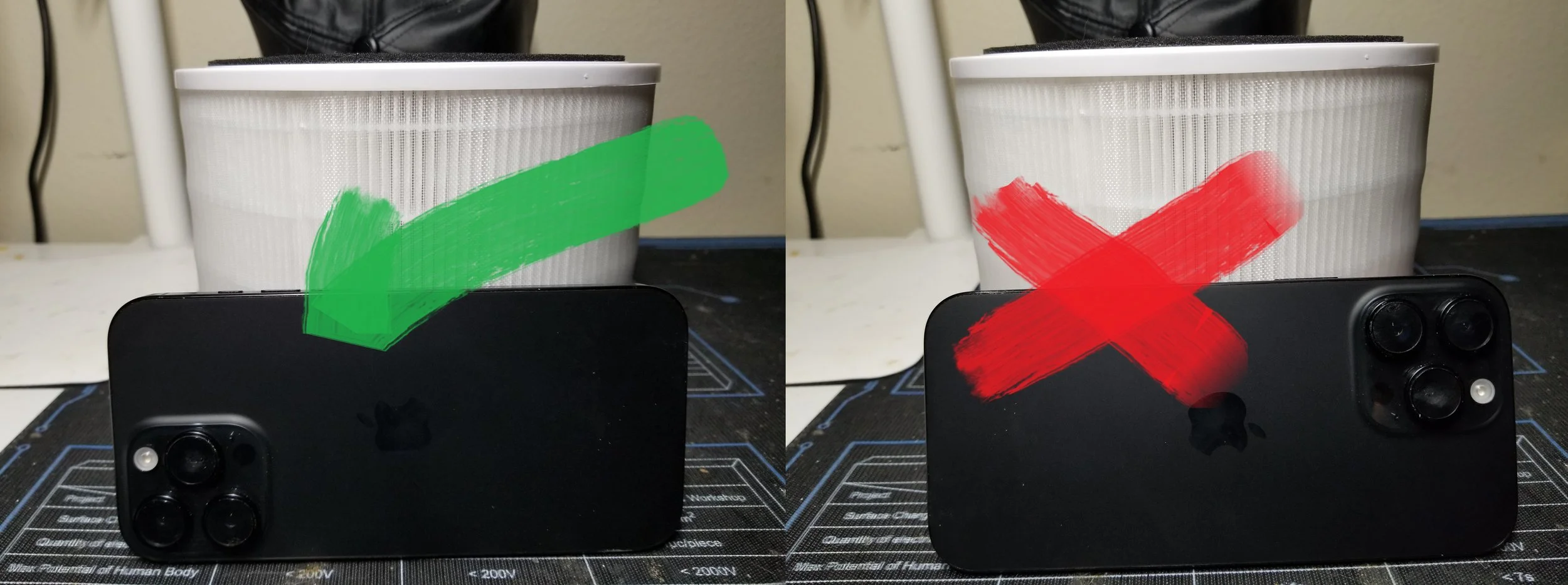
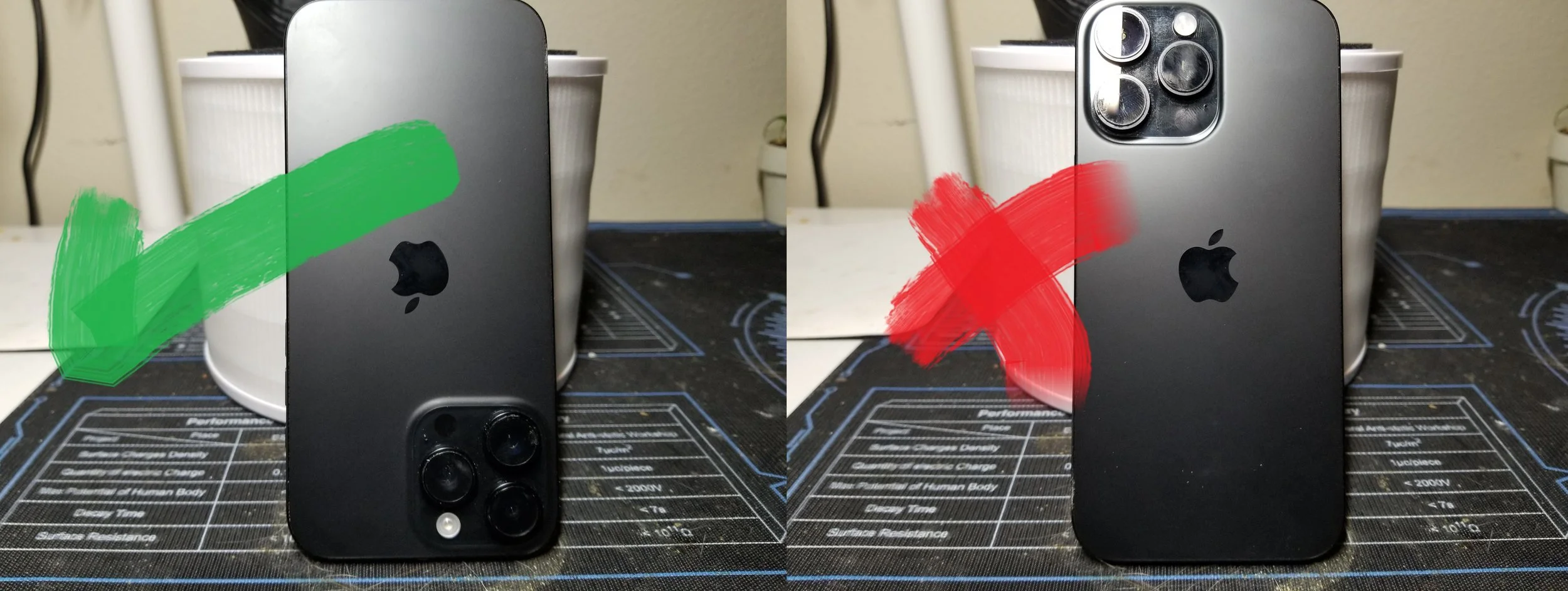
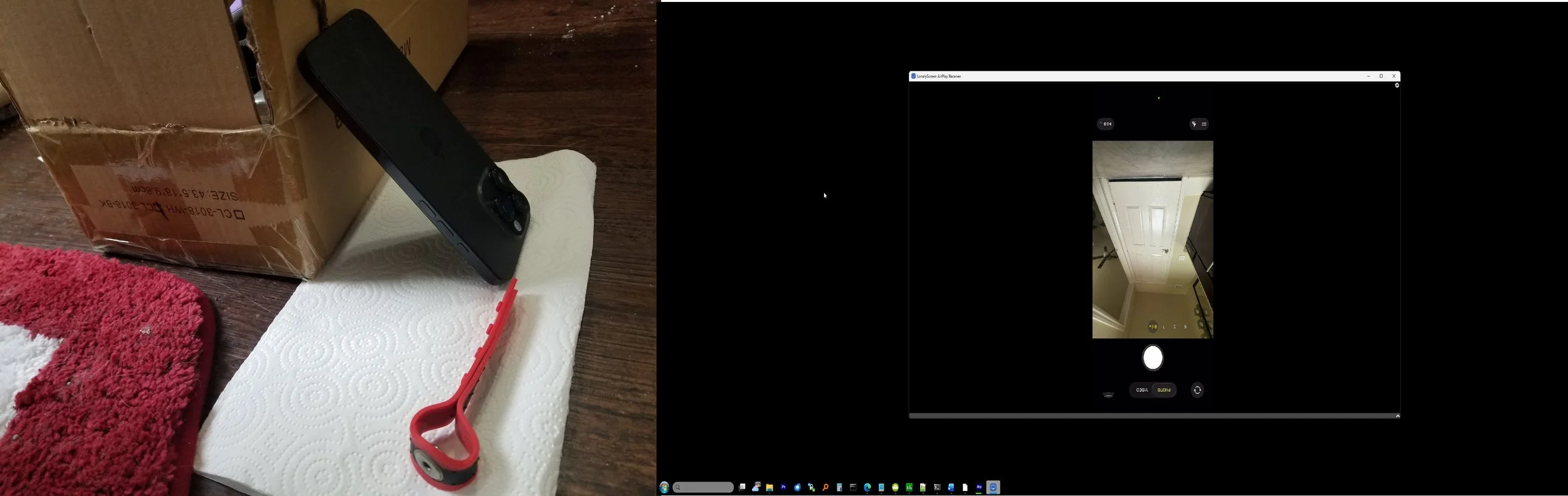
Have the phone against a box or the wall. You can use a paper towel to stop the camera from slipping if it’s needed.
Calibration Using Screen Mirroring
Screen mirroring is pretty much obligatory at this point. Since you have a laptop, the process is very easy. A screen mirroring program will enable you to see what you're doing real time which will take all the guesswork and stress out of it.
Instructions:
Program [For iPhone users only]:
This will be FAR easier than calibrating manually, but it’s up to you.
If you don’t have an iPhone, and use Android, use this program instead:
[NOTE]: Due to the fact that your camera will be closest to the floor, LonelyScreen or any other
mirroring app will think your phone is upside down. This is normal. Even with the inverted image you should still be able to get a grip of where you are on screen easily.
Calibration Images
Copy each of the 3 images below.
Image 1: Requires using rear camera at 0.5x in horizontal/landscape mode, while flush with the floor. This means the lens of the camera should be right next to the floor.
Image 2 and 3: Requires camera to be set up vertically. Your camera lens should be close to the floor, which means your phone will be upside down